 How-to
Remote Tax Preparation in Texas: How to File Online
Table of Contents
- How Remote Tax Preparation in Texas Works
- How to Choose a Tax Accountant for Remote Filing
- Your Tax Preparation Documents Checklist
- Secure Tax Document Upload and Data Protection
- Understanding Tax Preparer Fees and Pricing Models
- Step-by-Step: Hiring a Remote Tax Preparer in Texas
- Remote Tax Preparation for Individuals and Small Businesses
- Frequently Asked Questions
Last Updated: October 14, 2026
How Remote Tax Preparation in Texas Works
Remote tax preparation in Texas is the process of working with a tax professional entirely online, from sharing documents to signing your return. You never need to visit an office. A secure portal handles the handoff, and your preparer files your return electronically once you approve it.
That matters here because Texas has no state income tax on wages. You still file a federal return, and you may owe Texas franchise tax if you run a business. Many people miss that split, and it changes what your preparer needs from you.
At Inreach Tax Solutions, we handle remote filings for clients across the state, from Wylie to the DFW area and beyond. Below, we break down how the process works, what to gather, and how to pick a preparer you can trust.
Federal vs. Texas State Tax Filing
Texas does not tax personal income. So for most individuals, there is one return to file: the federal one. That is the core difference between federal and Texas state tax filing, and it trips up newcomers every year.
But "no state income tax" does not mean "no state tax at all." If you own a business, Texas franchise tax may apply. The Texas Comptroller franchise tax guidance explains who must file and when.
- Individuals: Federal return only for wages and most income.
- Sole proprietors: Federal return, plus franchise tax if you cross the state's threshold.
- Partnerships and LLCs: Federal return, plus possible franchise tax.
The federal side follows IRS filing information for individuals. Deadlines, extensions, and refund timing all run on the federal calendar. Texas adds no separate personal filing date, so the federal deadline is the one that matters most.
How to Choose a Tax Accountant for Remote Filing
Knowing how to choose a tax accountant comes down to three things: credentials, communication, and a secure process. Get those right and the remote setup works as well as any in-person visit.
Verify credentials before you share anything
Start with credentials. Ask for a PTIN, and check whether the preparer holds a CPA license or Enrolled Agent status. The IRS directory of federal tax return preparers lets you confirm a preparer's standing before you share anything. Here is a practical verification sequence:
- Ask for the preparer's PTIN. Every paid preparer who files federal returns must have one.
- Look them up in the IRS directory. Confirm the name, PTIN, and any professional designations match what they told you.
- Check state-level licensing if applicable. CPAs are licensed by a state board; verify the license is active.
- Confirm they will sign your return. A legitimate preparer signs the return and includes their PTIN. An unsigned return is a red flag.
- Ask who will actually prepare it. Some firms hand work to seasonal staff; confirm the person reviewing and signing your return.
Recognize the common scam patterns
The Federal Trade Commission guidance on tax preparation and refund fraud outlines how these schemes work and how to report them.
Test the remote process before tax season
Then look at how they work. A good remote preparer will:
- Use an encrypted client portal, not plain email, for sensitive files.
- Give you a clear list of what to send and by when.
- Offer a video or phone review before filing.
- Answer questions during tax season, not just in the off months.
- Provide a written engagement letter that states the scope and fee.
What most guides miss is the responsiveness test. Ask a question before you hire. If the reply is slow in the quiet season, it will be slower in April. The same test applies to how they handle a follow-up question about your specific situation, a preparer who gives a generic answer to a specific question is telling you something about the depth of review you will get.
Your Tax Preparation Documents Checklist
A complete tax preparation documents checklist saves you a second round of back-and-forth. Gather these before your first call:
- Photo ID and Social Security numbers for you and your dependents
- W-2s from every employer
- 1099s for contract, gig, or freelance income
- Last year's tax return
- Mortgage interest and property tax statements, if you own a home
- Records of deductible expenses (charity, medical, retirement contributions)
- Bank routing and account numbers for direct deposit
Missing one form is the most common cause of delays. The IRS lists the records most filers need in its IRS filing checklist for taxpayers, and it is worth a quick read before you upload anything.
Documents for Self-Employed and Gig Workers
Self-employed filers need everything above, plus a paper trail for business income and expenses. That includes:
- 1099-NEC and 1099-K forms
- Mileage logs for driving or delivery work
- Receipts for supplies, software, and home office costs
- Quarterly estimated tax payment records
Secure Tax Document Upload and Data Protection
Secure tax document upload protects your personal data from theft during the filing process. A good preparer uses encryption, limited access, and a portal that logs who opened what.
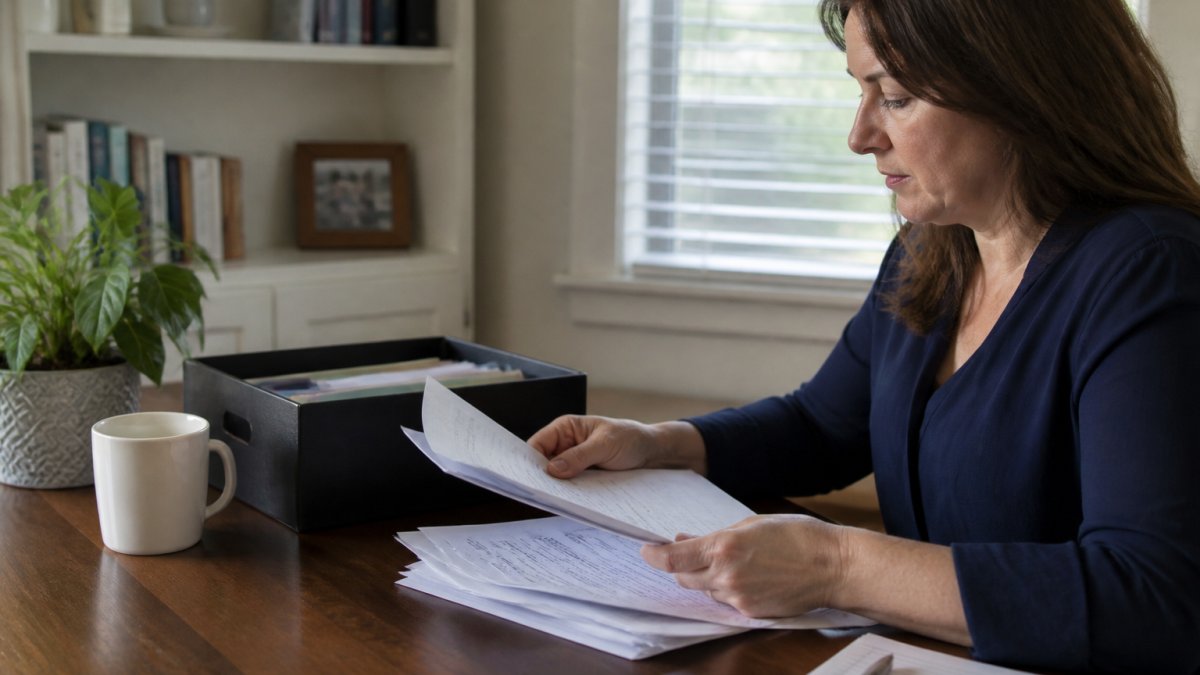
Never send a full Social Security number over standard email. Use a portal or a password-protected file, and share the password by phone. The Federal Trade Commission guidance on protecting personal information covers the basics of safe handling.
At Inreach Tax Solutions, our online office keeps client files in a secure system rather than an inbox. That is the standard to expect from any remote provider.
Understanding Tax Preparer Fees and Pricing Models
Tax preparer fees usually follow one of three models: flat rate, per-form, or hourly. Each has trade-offs, and the right one depends on how simple your return is.
| Pricing Model | How It Works | Best For | Watch Out For |
|---|---|---|---|
| Flat rate | One price for a set return type | Simple individual returns (W-2 only) | Add-ons for schedules, state forms, or dependents |
| Per-form | You pay for each schedule added | Filers with a few extra forms (Schedule C, E, etc.) | Small additions that stack into a large total |
| Hourly | Billed by time spent | Complex, messy, or audit-prone situations | Open-ended bills with no cap |
What actually drives your price is not the model, it is the complexity of your return. A common pattern is that a single W-2 filer pays the least, while self-employed filers, rental owners, and multi-state earners pay more because each adds schedules, calculations, and review time. Ask any preparer to explain which of your specific forms or situations triggers an upcharge.
Before you commit, get a written quote that separates:
- Base preparation fee for the federal return
- Add-on fees for each schedule, form, or state return
- E-filing fee, if any (many preparers include it)
- Refund-advance or add-on product fees, which are optional and often carry high effective costs
- Audit support or representation, which may be bundled or billed separately
A low advertised base fee can climb once state forms, business schedules, or dependents get added. The IRS guidance on choosing a tax return preparer notes that fees should be based on the complexity of the return, not on a percentage of your refund, a preparer who quotes a percentage of your refund has a conflict of interest.
For a side-by-side comparison, ask each candidate the same three questions: What is the all-in price for my exact situation? What is not included? What happens if the IRS asks questions after filing? The answers will separate a transparent quote from a teaser rate.
Step-by-Step: Hiring a Remote Tax Preparer in Texas
Here is the process we walk clients through, start to finish.
- Define your situation. Note your income types, dependents, and whether you run a business.
- Shortlist two or three preparers. Check credentials through the IRS directory.
- Ask about their remote process. Confirm they use a secure portal and offer a review call.
- Request a quote in writing. Make sure it covers federal and any state or business forms.
- Upload your documents. Use the portal, not email.
- Review the draft return. Check names, numbers, and bank details before signing.
- Sign and e-file. Most refunds arrive by direct deposit.
- Keep your records. Store a copy of the filed return for at least three years.
Total Time: About 1-2 hours of your own effort, spread over a week or two.
Expected Result: A filed return, a clear copy for your records, and no surprise fees.
Remote Tax Preparation for Individuals and Small Businesses
Remote tax preparation works for both simple and complex returns, but the fit differs. A single filer with one W-2 needs speed and a low fee. A small business owner needs someone who understands deductions, payroll, and franchise tax.
For individuals, the win is convenience. You upload, review, and sign from home.
For small businesses, the win is depth. Sole proprietors, partnerships, and LLC owners face questions that a basic filing tool cannot answer. That is where a credentialed tax expert earns their fee.
Inreach Tax Solutions serves both groups, with individual income tax preparation and small business returns handled remotely across Texas. Our team takes part in continuing professional education each year, so the advice you get reflects current rules, not last decade's.
Frequently Asked Questions
How does remote tax preparation work?
You share your tax documents through a secure online portal, and a preparer reviews them, asks follow-up questions by phone or video, and files your return electronically. You sign Form 8879 digitally, and the IRS processes your federal return. Texas has no state individual income tax return, so most filers only need to file federally. The whole process can be completed without an in-person meeting.
What documents do I need for remote tax preparation?
Gather your W-2s or 1099s, photo ID, Social Security cards for dependents, last year's return, and records of deductions like mortgage interest or charitable donations. Self-employed filers should also include business expense records, mileage logs, and 1099-NEC forms. A tax preparation documents checklist from your preparer helps you avoid missing items and delays.
Is it safe to send tax documents to a preparer online?
Yes, when the preparer uses encrypted upload portals rather than plain email. Look for secure tax document upload features, two-factor authentication, and a written privacy policy. Avoid texting photos of your Social Security card or W-2. Reputable preparers will never ask for sensitive data through unsecured channels and will provide a client portal with access controls.
Does Texas have a state individual income tax return?
No. Texas does not levy a state individual income tax, so residents file only a federal return for personal income. This simplifies remote tax preparation for most Texans, though self-employed filers and small business owners may still owe federal self-employment tax and need to track business income carefully. Remote tax preparation in Texas focuses on maximizing federal deductions and credits.
Filing remotely only works when you trust the person on the other end. If you want a preparer who answers questions, uses a secure portal, and knows the Texas rules, Inreach Tax Solutions is built for that. We offer remote filing statewide, a secure online office, and support for individuals, gig workers, and small businesses. Get started with Inreach Tax Solutions and file with confidence this season.